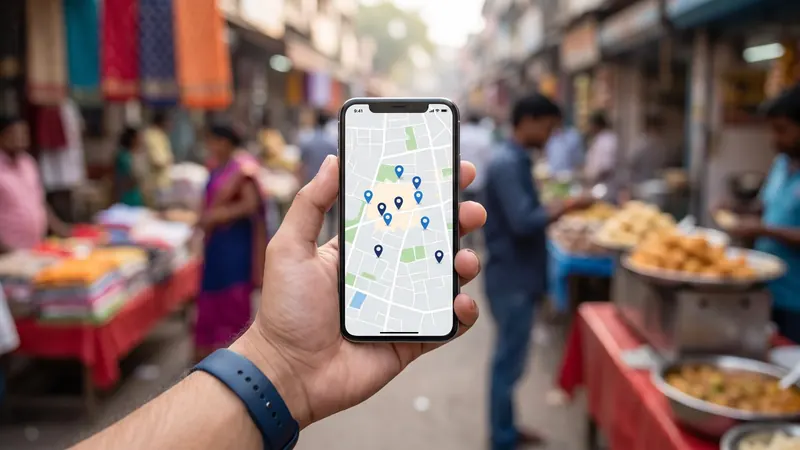
When someone searches "dentist near me", "sweet shop Modinagar" or "furniture showroom Ghaziabad", Google usually shows a map with a short list of businesses before any website. Those listings come from Google Business Profiles, and for many local businesses they bring more calls and visits than any other online channel.
The good news: a Google Business Profile is free, and most of what makes it effective is within your control. This guide covers what to set up, what to keep doing and what to avoid, based on Google's own guidelines and our work managing profiles for local businesses.
How Google decides which businesses to show
Google says local results are based mainly on three factors:
- Relevance: how well your profile matches what someone is searching for.
- Distance: how far your business is from the searcher or the location in the search.
- Prominence: how well known your business is, based on information such as reviews, links and how established it is online.
You cannot change distance, but you can improve relevance and prominence considerably.
Part 1: Set up the basics correctly
Use your real business name
Your profile name should match the name customers see on your signboard, website and bills. Do not add extra keywords or city names, such as "Sharma Sweets Best Sweet Shop in Modinagar". Google's guidelines prohibit this, and profiles can be suspended for it.
Keep your address and phone number consistent
Your address and phone number should be exactly the same on your Google profile, website, social media and other listings. If customers visit you, show your address. If you visit customers (plumbers, interior designers, home services), you can hide your address and set a service area instead.
Choose the right categories
Your primary category has a big influence on which searches you appear for. Choose the most specific one that describes your main business, such as "Sweet shop" rather than "Shop", or "Pediatrician" rather than "Doctor". Add secondary categories for other genuine parts of your business.
Set accurate hours
Add regular hours, and special hours for festivals and holidays. Customers frequently check hours on Google before leaving home. Arriving to find a closed shutter on Diwali or Eid creates frustration and bad reviews.
Write a helpful description
Describe what you offer, who you serve and what makes you different, in natural language. Do not stuff keywords or include links or promotional claims you cannot support.
Add products, services and attributes
List your main products or services with descriptions and prices where appropriate. Fill in relevant attributes such as wheelchair accessible, women-led, delivery, dine-in, online appointments or free Wi-Fi.
Verify your profile
Google needs to verify that you are the owner. It decides the method, which may include a video recording of your premises, a phone call, email or other options. Make sure your signage, equipment and proof of business are visible if a video is requested.
Part 2: Make your profile attractive
Photos
Profiles with good photos look more trustworthy and get more engagement. Add:
- Exterior: so customers can recognise your shop from the road
- Interior: what it feels like inside
- Products or work: your best items or completed projects
- Team: the people customers will meet
- Logo and cover photo
Use real, well-lit photos. Add new ones regularly, especially for seasonal products and festivals.
Videos
Short videos of your shop, kitchen, workshop or team can help customers understand your business quickly.
Posts
Google Business Profile lets you publish updates, offers and events. Posts keep your profile looking active and give searchers a reason to choose you. Ideas:
- New arrivals or seasonal products
- Festival offers with dates
- Events, workshops or open days
- Useful tips related to your business
Posting weekly is a good habit. If you already post on social media, you can adapt the same content for Google. Our social media management plans both together.
Part 3: Reviews
Reviews are one of the strongest factors in whether customers choose you, and they contribute to your prominence.
Getting more reviews
- Ask in person at the moment customers are happiest.
- Share a direct review link on WhatsApp after a purchase or service.
- Use a QR code at your counter, on bills or on table cards.
- Make it a habit for staff to ask.
Replying to reviews
- Reply to every review, positive or negative.
- Thank people for positive reviews, mentioning something specific.
- Stay calm with negative reviews. Acknowledge the issue, apologise where appropriate, and offer to resolve it privately.
- Never share private information about the customer.
Future customers read your replies to understand how you treat people.
What not to do
Google prohibits fake reviews, paying for reviews, offering incentives such as discounts in exchange for reviews, and reviewing your own business. Breaking these rules can lead to reviews being removed or restrictions on your profile. It is never worth it.
Part 4: Keep it accurate
- Check suggested edits. Anyone can suggest changes to your profile; review them and reject incorrect ones.
- Watch for duplicate listings of your business and request that they be removed or merged.
- Update details when you change hours, phone numbers, services or locations.
- Keep your website link working.
Common mistakes that hurt local businesses
- Adding keywords or city names to the business name
- Using a virtual office or an address where you do not actually serve customers
- Leaving hours wrong during festivals
- Using only stock photos
- Never posting updates
- Ignoring reviews, or arguing with reviewers
- Creating multiple profiles for the same business at the same location
How to measure progress
Your profile's performance section shows how many people viewed your profile, how they searched, and how many called, requested directions or visited your website. Check it monthly and compare it with the same period earlier. Also watch your review count and average rating.
A weekly 15-minute routine
- Publish one post or offer.
- Add two or three new photos.
- Reply to all new reviews.
- Check for suggested edits and duplicate listings.
- Confirm hours for any upcoming holidays or festivals.
Need help?
For businesses in Modinagar, Ghaziabad, Baghpat and beyond, ArcBig's Google Business Profile management covers setup, clean-up, weekly posts, photos and review replies, with honest monthly reporting.
Tips for specific types of businesses
- Restaurants and sweet shops: keep your menu updated, add photos of signature dishes, and set special hours for every festival. See our restaurant marketing guide.
- Schools and coaching institutes: add photos of classrooms, labs and transport, post admission dates and results, and encourage parents to leave reviews after positive events.
- Clinics and hospitals: list each service clearly, keep doctor timings accurate, and reply to reviews without revealing any patient information.
- Showrooms and retailers: add products with prices, post new arrivals weekly, and make sure your storefront photo matches what customers see from the road.
- Service-area businesses: hide your address if customers do not visit you, set an accurate service area, and post photos of completed jobs with customer permission.
Frequently asked questions
Is Google Business Profile free?
Yes. Creating and managing a Google Business Profile is free.
How long does it take to rank on Google Maps?
A complete, accurate profile can start getting more views within weeks, but steady improvement usually comes over months of regular posts, photos and reviews. Distance from the searcher always plays a role.
Can I add keywords to my business name on Google?
No. Your profile name should match your real business name. Adding keywords breaks Google's guidelines and can lead to suspension.
How do I get more Google reviews?
Ask satisfied customers directly, share a review link on WhatsApp, use a QR code at your counter and reply to every review. Never pay for or fake reviews.
What should I post on my Google Business Profile?
Offers, new products, festival hours and greetings, events and useful tips. Weekly posts keep your profile active and give searchers a reason to choose you.